Accounting - G/L Transactions - Make Adjusting Entries
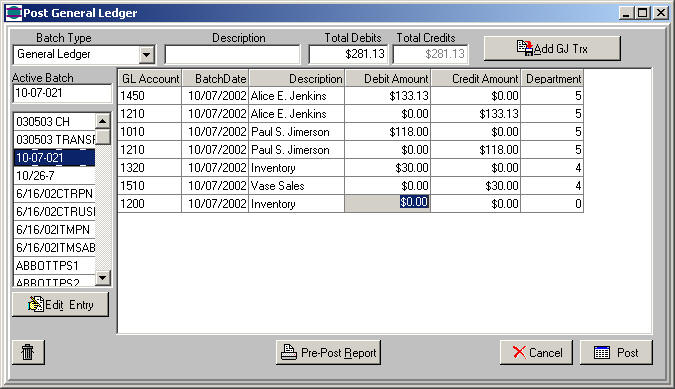
This function allows you to Add adjusting entries or edit journal entries in a batch. Double click the batch you want to work with to review the transactions for that batch.
Edit General Journal Transactions
Highlight the row you want to work with, click the "Edit Entry" button to make the data accessable for editing. Click the "Save" button to refresh the list with the saved information.
Add Adjusting Journal entries
Click the "Add GJ trx" button to open up a blank row in the table. Click the "Add" button each time you need another row.